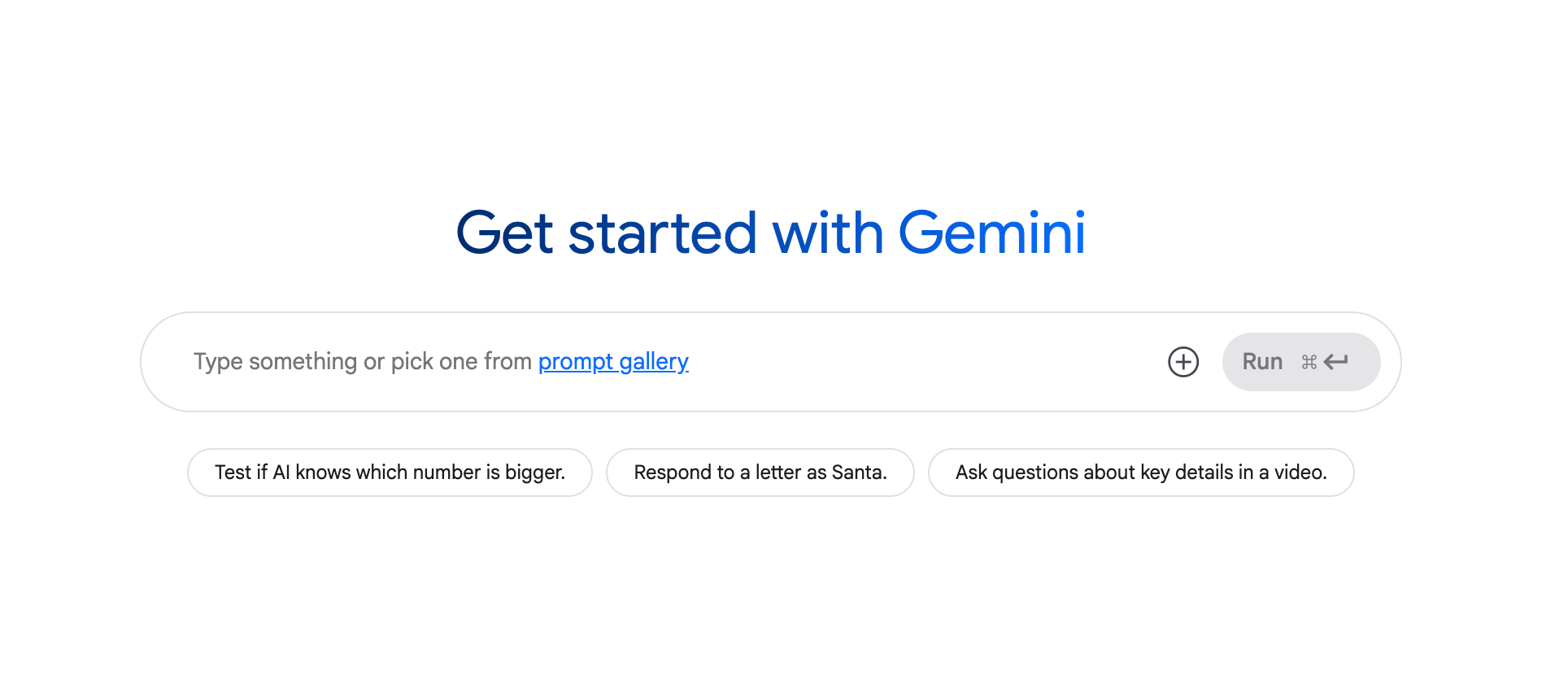
Google AI Studio is a web-based development platform created to empower developers, researchers, and students to experiment with and prototype AI-powered applications. Built around Google’s state-of-the-art generative models—especially the Gemini family—this platform provides a streamlined, accessible environment for exploring model capabilities, designing prompts, and fine-tuning models to specific tasks and datasets.
Purpose and Vision
Google AI Studio is grounded in three primary objectives:
- Facilitating Experimentation
It offers a flexible, ready-to-use workspace for exploring AI models and prompt engineering techniques—without the need for complex local setups or infrastructure. - Accelerating Prototyping
By providing rapid access to powerful tools and pre-trained models, the platform allows users to quickly build, test, and iterate on AI-powered concepts. - Democratizing AI Development
With an intuitive interface and minimal technical barriers, Google AI Studio opens the doors of AI innovation to a broader range of users—from students and hobbyists to professionals and researchers.
Core Features and Capabilities
Google AI Studio includes a robust set of features to streamline and support the development of intelligent applications:
1. Access to State-of-the-Art AI Models
Users can experiment directly with the Gemini model family—Google’s most advanced multimodal AI models. These models are capable of understanding and generating text, code, images, audio, and even video, unlocking a wide array of application possibilities.
2. Advanced Prompt Engineering Tools
Prompt engineering is at the heart of AI Studio. The platform enables users to create, test, and refine prompts to effectively guide model responses.
- Prompt Templates
AI Studio offers ready-to-use templates to simplify prompt creation:- Chat Prompts: For building conversational interfaces, supporting dynamic, multi-turn dialogue.
- Structured Prompts: Designed to control model output more precisely by providing examples of expected input-output behavior.
3. Model Tuning
Beyond basic prompt engineering, users can fine-tune pre-trained Gemini models to suit specific use cases. This customization process involves feeding the model curated datasets or additional examples to enhance performance on niche tasks.
4. Intuitive Web Interface
The platform’s fully web-based interface eliminates the need for installations, configurations, or heavy infrastructure. It’s designed for ease of use, allowing users to jump straight into AI development from any device with a browser.
5. Code Export for Production
Once a working prompt or configuration is finalized, users can export the code for integration into their own applications. This bridges the gap between experimentation and deployment, simplifying the process of transitioning from prototype to production.
6. Seamless Google Cloud Integration
AI Studio integrates naturally with Google Cloud services, allowing users to scale their projects by tapping into cloud infrastructure for training, deployment, and analytics.
How to Use Google AI Studio: A Step-by-Step Guide
- Access the Platform
Visit Google AI Studio and sign in with a Google account to begin. - Select a Model
Choose the Gemini model or another supported AI model based on your project’s needs. - Design a Prompt
Utilize the built-in templates or create your own custom prompt to guide the model’s behavior. - Experiment and Iterate
Run the prompt, observe the output, and refine it. Tweak the wording, formatting, or parameters to improve accuracy or relevance. - Tune the Model (Optional)
For domain-specific applications, use fine-tuning capabilities to improve model performance with your own dataset or examples. - Evaluate and Finalize
Analyze how the model responds to various inputs and finalize your design. - Deploy or Export
Export the generated code or integrate the AI functionality into your app using the Gemini API.
Practical Applications
Google AI Studio is versatile, supporting a wide range of AI-powered use cases:
- Text Generation: Produce articles, blogs, stories, marketing material, and more.
- Code Generation: Write and troubleshoot code across various programming languages.
- Conversational Agents: Develop AI chatbots for customer service, education, or productivity.
- Content Summarization: Condense lengthy documents into key takeaways or executive summaries.
- Language Translation: Translate content across languages with high accuracy.
- Image & Video Interpretation: Use multimodal capabilities to analyze and describe visual media.
- Data Analysis: Extract insights, automate reporting, and visualize trends with AI support.
Benefits of Google AI Studio
- Simplified Development: Get started quickly with minimal setup and a user-friendly interface.
- Rapid Innovation: Quickly prototype, test, and iterate on new ideas using powerful tools.
- Access to Advanced Models: Work with Google’s most cutting-edge generative AI systems.
- Affordability: Benefit from free access for experimentation, with flexible pricing for scaling.
- Supportive Ecosystem: Access official documentation, community forums, and learning resources to enhance your experience.
AI Studio vs. Vertex AI
While both platforms fall under the Google AI ecosystem, they serve distinct purposes:
| Feature | Google AI Studio | Vertex AI |
|---|---|---|
| Focus | Experimentation and prompt prototyping | Full-scale ML lifecycle (training, deployment, monitoring) |
| Users | Developers, students, hobbyists | Enterprise teams, data scientists, ML engineers |
| Setup | No setup required—browser-based | Requires deeper configuration and integration |
| Integration | Ideal for Gemini API-based testing and prototyping | Best for production deployment and pipeline automation |
| Use Case | Proof-of-concept, testing ideas, small-scale apps | Scalable AI systems, enterprise-level applications |
AI Studio is often the first stop for quick ideation, while Vertex AI is designed to take polished solutions into scalable, production-ready environments.
Looking Ahead: The Future of Google AI Studio
Google AI Studio is still evolving—and its roadmap includes several exciting developments:
- Enhanced Model Capabilities
Newer generations of Gemini and other models will offer better reasoning, creativity, and multimodal interaction. - Expanded Toolset
Expect additional tools to assist in testing, evaluation, and deployment, including visual prompt builders and automated tuning assistants. - Deeper Ecosystem Integration
Closer ties to other Google services such as Firebase, BigQuery, and Google Workspace will make it easier to connect AI with existing workflows. - Responsible AI Features
Google is placing greater emphasis on ethical AI use. Expect built-in features that promote fairness, transparency, and bias mitigation.